Metrology 3D Scanners

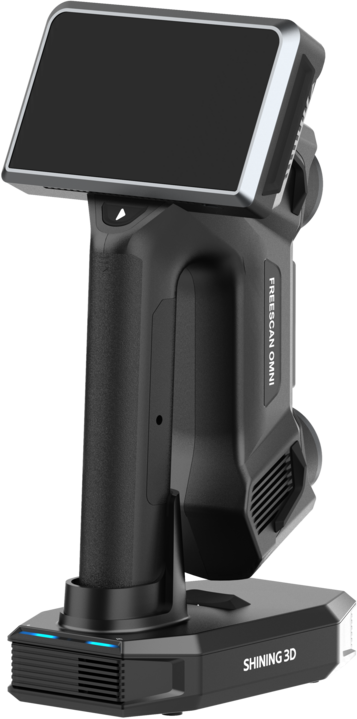
Shining 3D FreeScan Omni

World’s First Standalone Scan-to-Inspect Metrology Scanner — No PC Required

The FreeScan Omni is the world’s first standalone inspection-ready metrology 3D scanner. Scan, inspect to GD&T tolerances, and generate reports entirely on the device — no laptop required. PTB-certified SHINING 3D Inspect runs onboard the 5.5″ touchscreen. Smart Dock charges the battery and backs up scan data over Wi-Fi simultaneously. Integrated Video Photogrammetry (VPG) for markerless capture up to 10 m working volume. Dual optical engine: blue laser for fine detail, IR VCSEL for speed. AI Feature Recognition pre-loads GD&T inspection templates automatically. Full specifications →

PTB
Certified Inspection
On-Device
GD&T + Report
10 m
VPG Working Volume
Scan-to-Inspect
PTB-Certified Inspect On-Device GD&T No PC Required
Optical Engine
Blue Laser + IR VCSEL 4 Scan Modes VPG Markerless — 10 m
Connectivity
Smart Dock Fully Wireless VDI/VDE 2634 + ISO 10360
Pricing
$683 /mo est. · 72 mo · 8% APR · OAC · Business financing

FreeScan Omni is a quote-driven standalone inspection system. Rev1 confirms application fit (shop-floor QC, first article, aircraft MRO, mold inspection), software stack, and training scope before commitment. Authorized Shining 3D reseller and factory-trained FreeScan support partner in the USA.

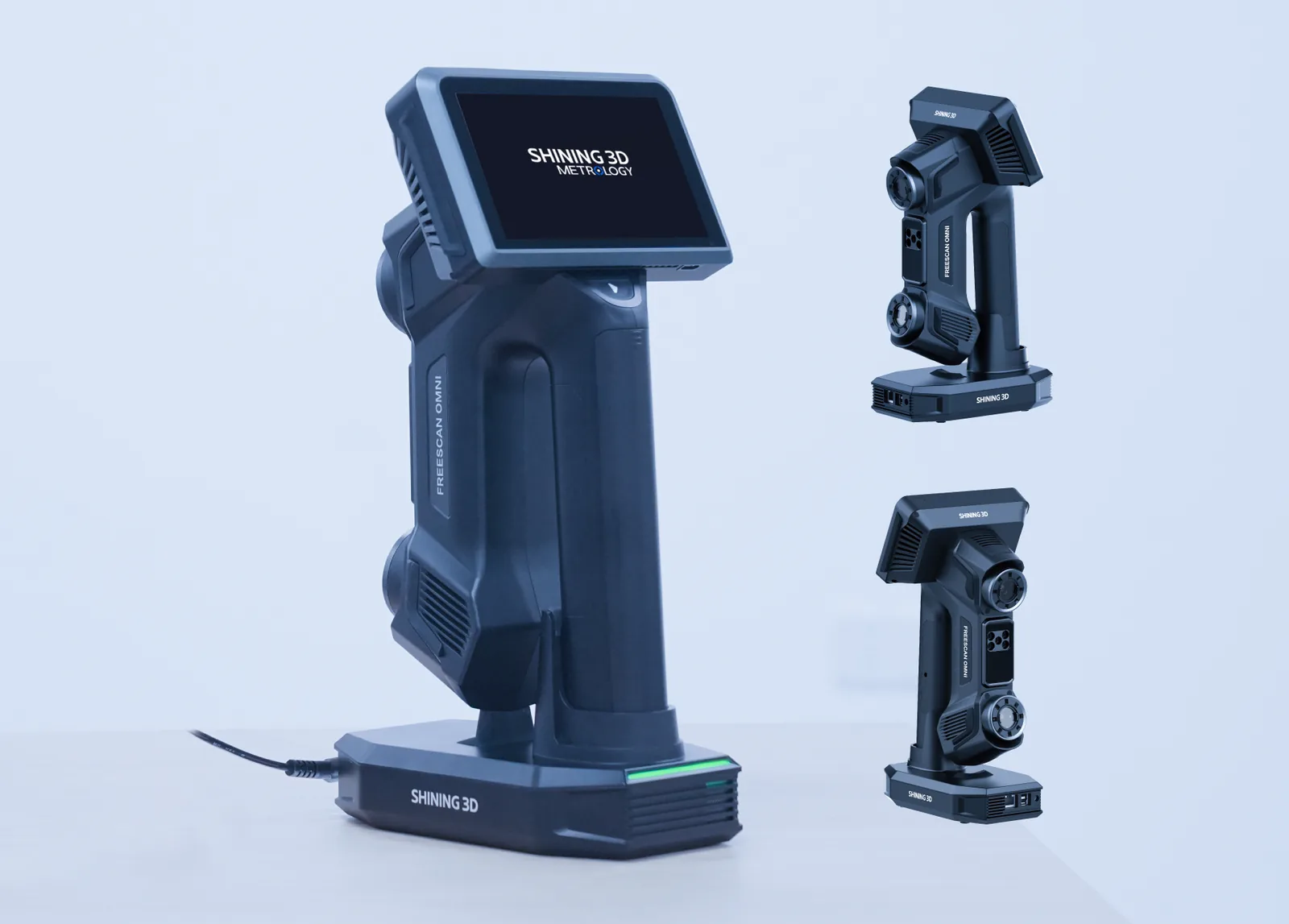
Shining 3D FreeScan Omni standalone inspection-ready metrology 3D scanner with Smart Dock
01
FreeScan Omni Highlights

Standalone scan-to-inspect. Wireless smart dock. AI feature recognition. PTB-certified onboard inspection.

The Shining 3D FreeScan Omni is the world’s first standalone inspection-ready metrology 3D scanner. Scan a part, run GD&T dimensional inspection, and generate a report — all on the device, without a laptop. PTB-certified SHINING 3D Inspect runs natively on the 5.5-inch touchscreen. The Smart Dock charges the battery and simultaneously backs up scan data over Wi-Fi. Integrated Video Photogrammetry handles markerless reference up to 10 m. Dual optical engine (blue laser + IR VCSEL) with 4 scan modes. AI Feature Recognition automatically identifies holes, slots, and edges and pre-loads GD&T inspection templates. PTB is Germany’s national metrology institute — equivalent to NIST in the US. Complete system includes scanner, smart dock, and SHINING 3D Inspect license.

Standalone
On-Device Scan-to-Inspect — No PC
PTB-certified SHINING 3D Inspect runs onboard the 5.5″ touchscreen. GD&T dimensional inspection and report generation without a laptop — anywhere the scanner can go. PTB = Germany’s national metrology institute, equivalent to NIST.
Smart Dock
Charge + Wi-Fi Backup Simultaneously
One dock does two jobs: charges the battery and backs up all scan data over Wi-Fi at the same time. Fully cable-free capture anywhere on the shop floor or in the field. Return to dock, data is already backed up.
VPG
Integrated Video Photogrammetry — Markerless to 10 m
Built-in VPG replaces coded reference targets. Markerless reference to 10 m working volume — no taping coded targets before scanning. Especially valuable on irreplaceable parts (turbine blades, aircraft structures, molds).
AI
AI Feature Recognition — Auto GD&T Templates
Automatically identifies holes, slots, and edges from scan data. Pre-loads GD&T inspection templates for identified features — eliminating manual template setup and reducing inspection setup time significantly.
Dual Engine
Blue Laser + IR VCSEL — 4 Scan Modes
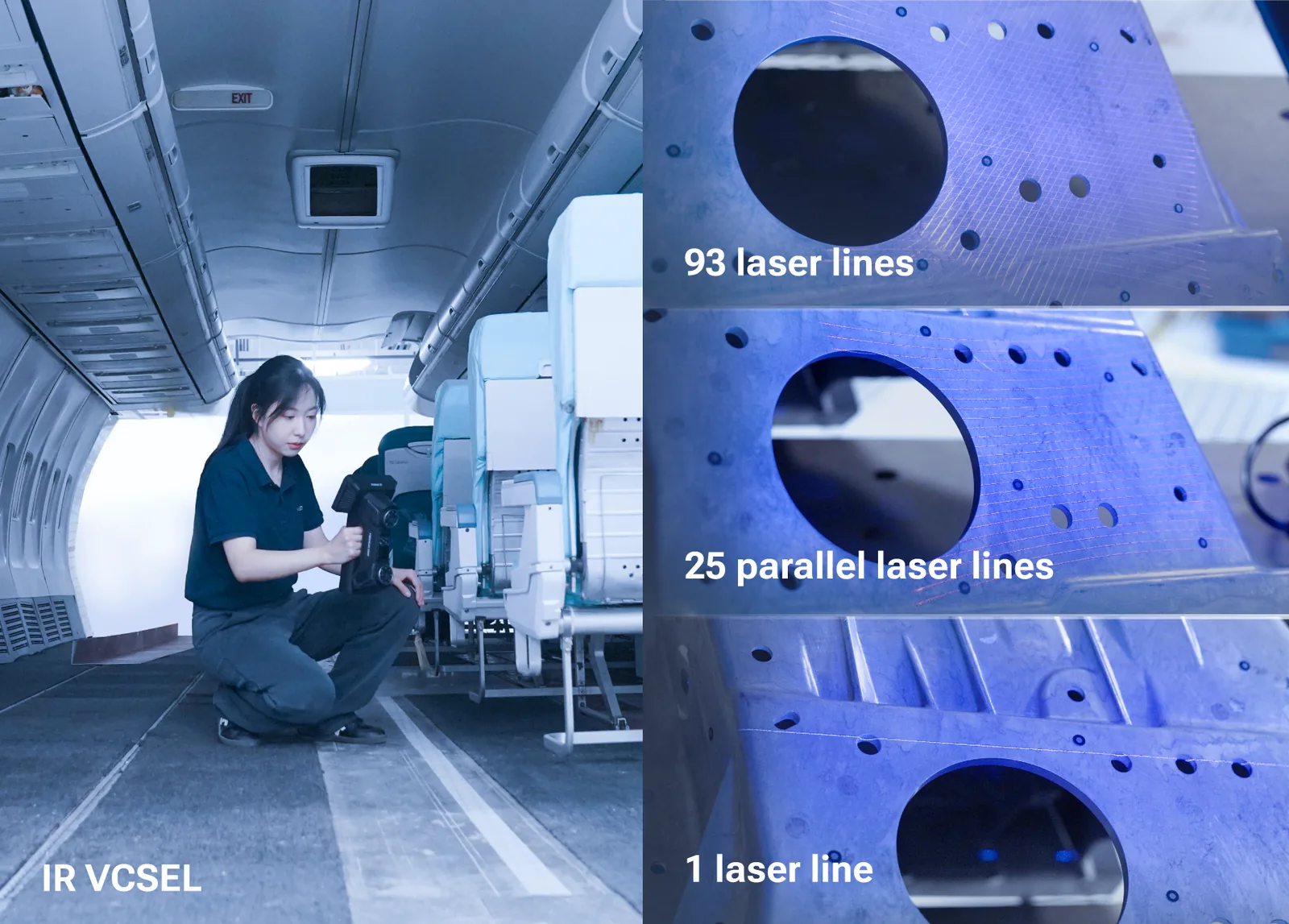
Blue laser handles fine detail and shiny/reflective surfaces. IR VCSEL handles speed on diffuse and matte surfaces. Four scan modes total — Fine, Rapid, HD, and AI-enhanced. One scanner covers the full surface-finish range.
RFQ
Complete System — Scanner + Dock + Inspect License
Includes the FreeScan Omni scanner, Smart Dock, and SHINING 3D Inspect software license. PTB-certified inspection at a price significantly below Creaform HandySCAN BLACK Elite with comparable metrology-grade certification. Contact Rev1 for a quote.
02
Core System

Smart Dock + onboard inspection: two innovations that redefine shop-floor metrology.

Smart Dock — Power & Wi-Fi data backup in one station

The Smart Dock is the FreeScan Omni’s home base. Dock the scanner and it simultaneously charges the battery and backs up all captured scan data over Wi-Fi to the workstation. No cables to manage between the scanner and the PC during capture. When you’re done scanning, dock it — data is already backed up. The dock-based wireless architecture means the scanner is completely cable-free during measurement, even when transferring data afterwards.

Wi-Fi
Simultaneous Data Backup
One Dock
Charge + Transfer
Shining 3D FreeScan Omni Smart Dock — charges battery and backs up scan data over Wi-Fi simultaneously
On-Device Inspection — PTB-certified GD&T on the 5.5″ touchscreen

SHINING 3D Inspect is PTB-certified and runs entirely on the FreeScan Omni’s built-in 5.5-inch touchscreen. Scan a part, switch to Inspect mode, set GD&T tolerances, run the inspection, and generate a report — without touching a laptop. AI Feature Recognition pre-loads inspection templates for holes, slots, and edges automatically. PTB is the Physikalisch-Technische Bundesanstalt, Germany’s national metrology institute (equivalent to NIST in the USA) — the same authority that certifies CMMs and laser trackers used in regulated automotive and aerospace workflows.

PTB
Certified Inspection Module
5.5″
On-Device Touchscreen
Shining 3D FreeScan Omni metrology-grade on-scanner inspection running PTB-certified SHINING 3D Inspect on 5.5-inch touchscreen
Application Review
Is standalone scan-to-inspect the right workflow for your shop?

Send Rev1 your inspection requirements — part geometry, GD&T callouts, throughput targets, and whether PC-free operation is a hard requirement. We’ll validate whether the FreeScan Omni’s on-device workflow fits before you quote.

03
Certified Accuracy

PTB certification, ISO 10360, VDI/VDE 2634 Part 3 — metrology-grade traceability on a handheld wireless scanner.

The FreeScan Omni’s SHINING 3D Inspect inspection module is certified by PTB — the Physikalisch-Technische Bundesanstalt, Germany’s national metrology institute. The scanner itself is validated to ISO 10360 and VDI/VDE 2634 Part 3 — the standards the metrology industry uses to qualify CMMs, laser trackers, and articulated-arm scanners. Every accuracy number comes with a paper trail QA owners can defend in audit and regulated workflows.

PTB
PTB-Certified SHINING 3D Inspect — Onboard
PTB (Physikalisch-Technische Bundesanstalt) is Germany’s national metrology institute. Certification of the onboard inspection module means the GD&T results and reports generated on the 5.5″ touchscreen carry the same traceability class as a CMM inspection report — without a laptop in the chain.
ISO 10360
ISO 10360 + VDI/VDE 2634 Part 3 Validated
Probing error, sphere-spacing error, and flatness error validated to the same international standards used to certify CMMs, laser trackers, and articulated-arm scanners. Hand the inspection report to QA with a paper trail — not a marketing datasheet.
Traceable
Metrology-Grade Traceability on a Wireless Handheld
The FreeScan Omni delivers certified metrology accuracy in a wireless standalone handheld package. No fixed CMM footprint, no tether to a PC during inspection, no coded targets for most surfaces. PTB traceability at shop-floor portability.
FreeScan Omni metrology-grade accuracy — PTB-certified SHINING 3D Inspect onboard inspection
Metrology-Grade AccuracyPTB + ISO 10360 + VDI/VDE 2634 Part 3 — certified paper trail for QA, audit, and regulated workflows.
FreeScan Omni on-scanner GD&T inspection — PTB-certified SHINING 3D Inspect running on 5.5-inch touchscreen
On-Scanner GD&T InspectionFull GD&T dimensional inspection on the touchscreen. No laptop in the chain — PTB traceability maintained.
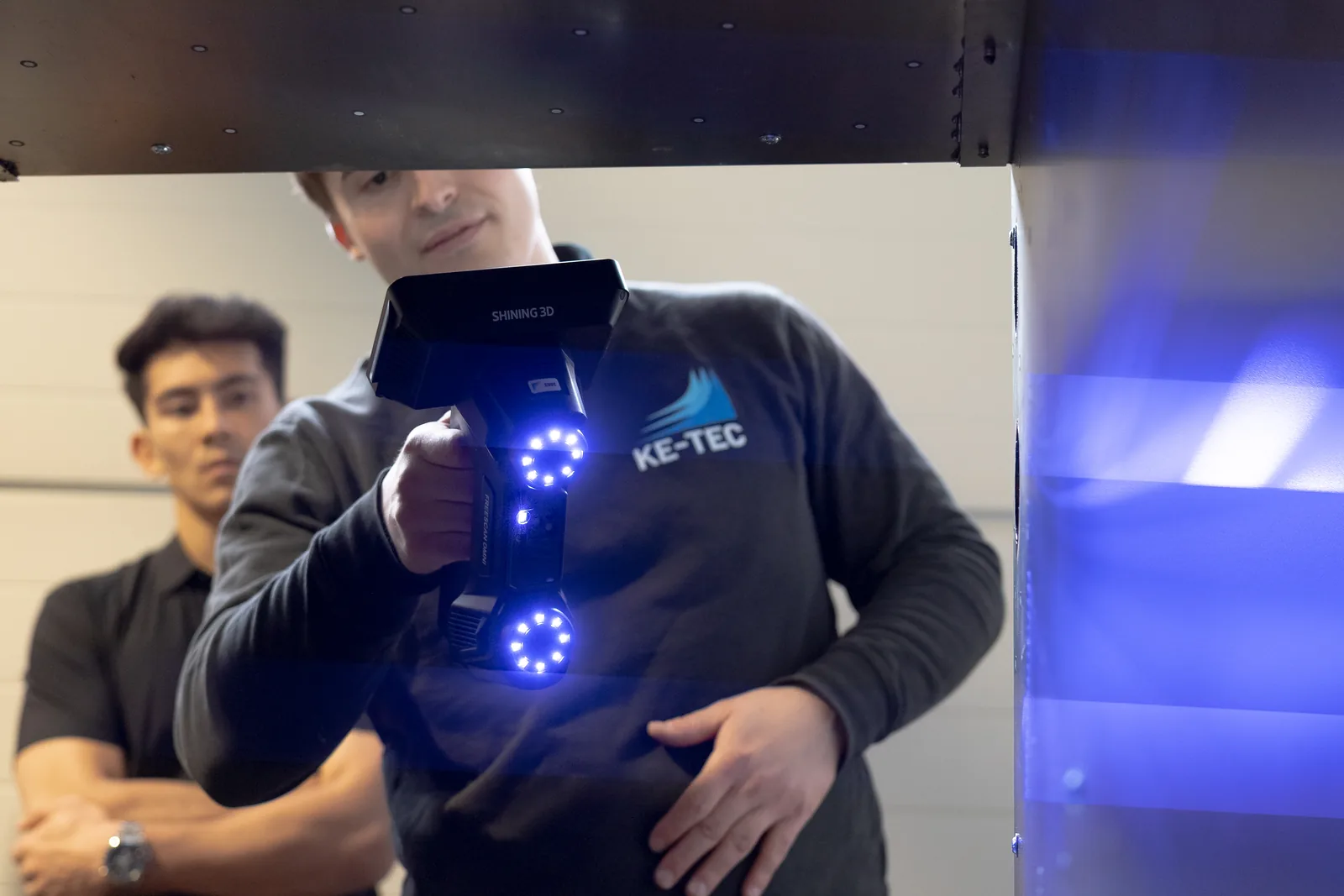
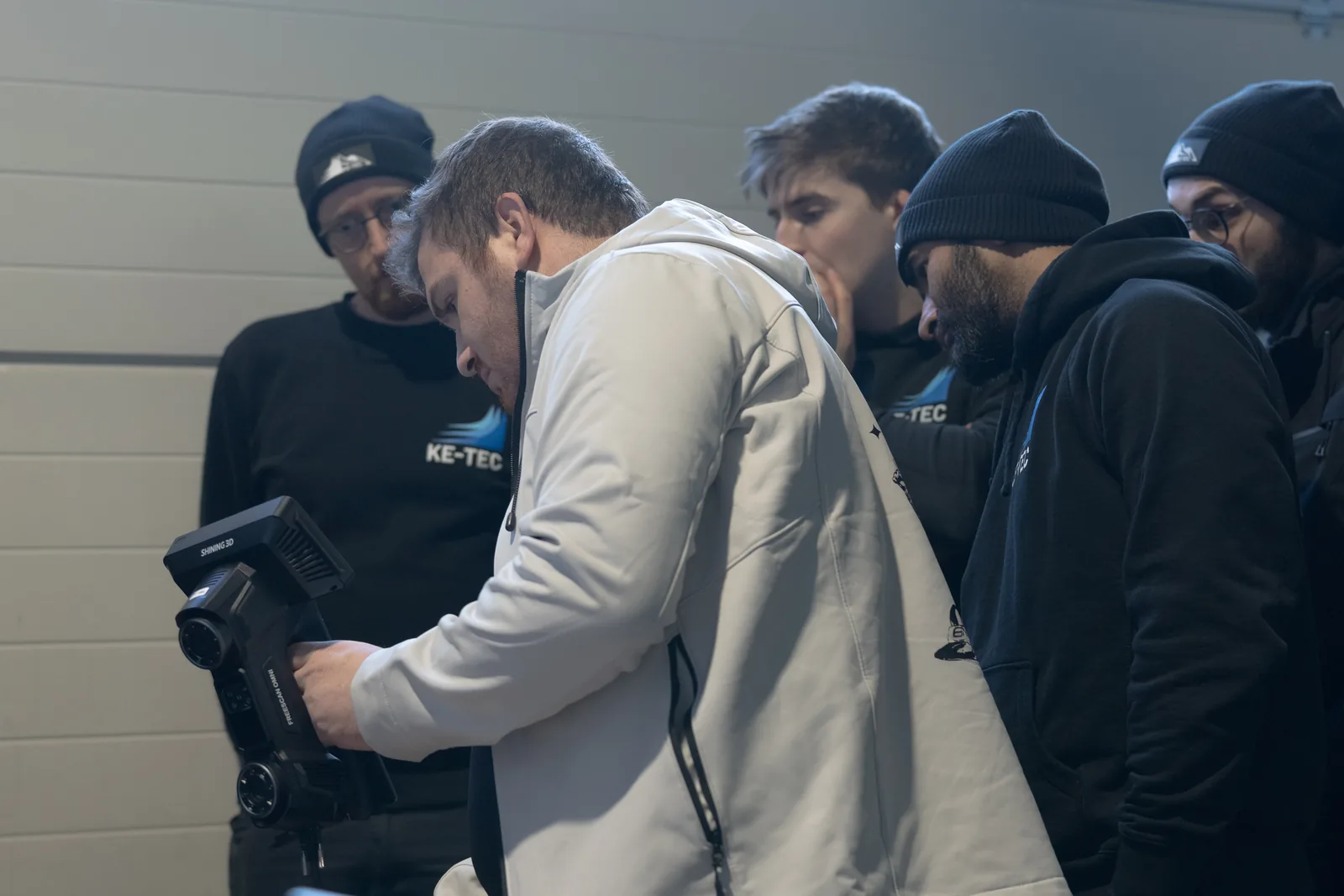
FreeScan Omni scanning complex industrial component — KE-TEC operator with active blue laser on metal tooling
Inspection Room to Shop FloorCertified accuracy travels with the scanner. From controlled metrology lab to shop-floor QC station without losing the paper trail.
04
How It Works

Three steps from part to certified inspection report — entirely on the device.

The FreeScan Omni workflow is the first 3D scanner workflow that closes the loop from scan to certified inspection report without requiring a PC at any step. The Smart Dock handles data transfer and charging passively — the operator’s hands stay on the scanner and the part, not on cables and laptops.

Step 1
Scan — Wireless Capture on the Shop Floor
Pick up the FreeScan Omni and scan the part. Blue laser mode for shiny or fine-detail surfaces. IR VCSEL mode for rapid capture on diffuse surfaces. VPG handles markerless global reference on larger parts up to 10 m without taping coded targets. 4 scan modes total: Fine, Rapid, HD, AI-enhanced. Everything captured wirelessly — no cable tether to a PC.
Step 2
Inspect on Device — GD&T on the 5.5″ Touchscreen
Switch to Inspect mode on the built-in touchscreen. AI Feature Recognition automatically identifies holes, slots, and edges, then pre-loads GD&T templates for those features. Set tolerances, run the inspection against CAD nominal, check deviation color maps. PTB-certified SHINING 3D Inspect generates the full inspection report on-device — no laptop required at any step.
Step 3
Report & Dock — Wi-Fi Backup While Charging
Return the scanner to the Smart Dock. The dock simultaneously charges the battery and backs up all scan data and inspection reports over Wi-Fi to the connected workstation. The complete inspection report is already on the PC when you get there. Certified data with PTB-traceable traceability — ready for QA sign-off, audit trail, or downstream CAD/PLM workflow.
05
Scan Modes

Four scan modes for every surface type, part size, and throughput requirement.

The FreeScan Omni’s dual optical engine (blue laser + IR VCSEL) covers the full surface-finish range with four dedicated scan modes. Fine mode for tight-tolerance detail work. Rapid mode for high-throughput matte-surface scanning. HD mode for maximum resolution on complex geometry. AI-enhanced mode for intelligent feature capture with automatic GD&T template pre-loading. One scanner, four modes — no accessory swap required.

Fine Mode
Blue laser engine at full resolution. Optimized for fine detail, complex geometry, and surfaces with high reflectivity or surface contrast where IR VCSEL accuracy degrades. Best for tight-tolerance first-article inspection.
Blue Laser
Rapid Mode
IR VCSEL engine at maximum throughput. Ideal for large matte or diffuse surfaces where speed is the priority and resolution requirements are met at lower point density. Fastest data capture mode.
IR VCSEL
HD Mode
Maximum resolution capture using both optical engines simultaneously. For complex geometry with mixed surface finishes where neither Fine nor Rapid alone delivers complete coverage. Higher data density, longer scan time.
Dual Engine
AI-Enhanced Mode
Scan with AI Feature Recognition active. The scanner identifies geometric features (holes, slots, edges) in real time during capture and pre-populates GD&T inspection templates automatically. Designed for inspection-first workflows where saving setup time is the goal.
AI + Dual Engine
06
Applications

Shop-floor QC, first article inspection, aircraft MRO, body-in-white, turbine blades, mold inspection, reverse engineering.

Aircraft Maintenance & MRO

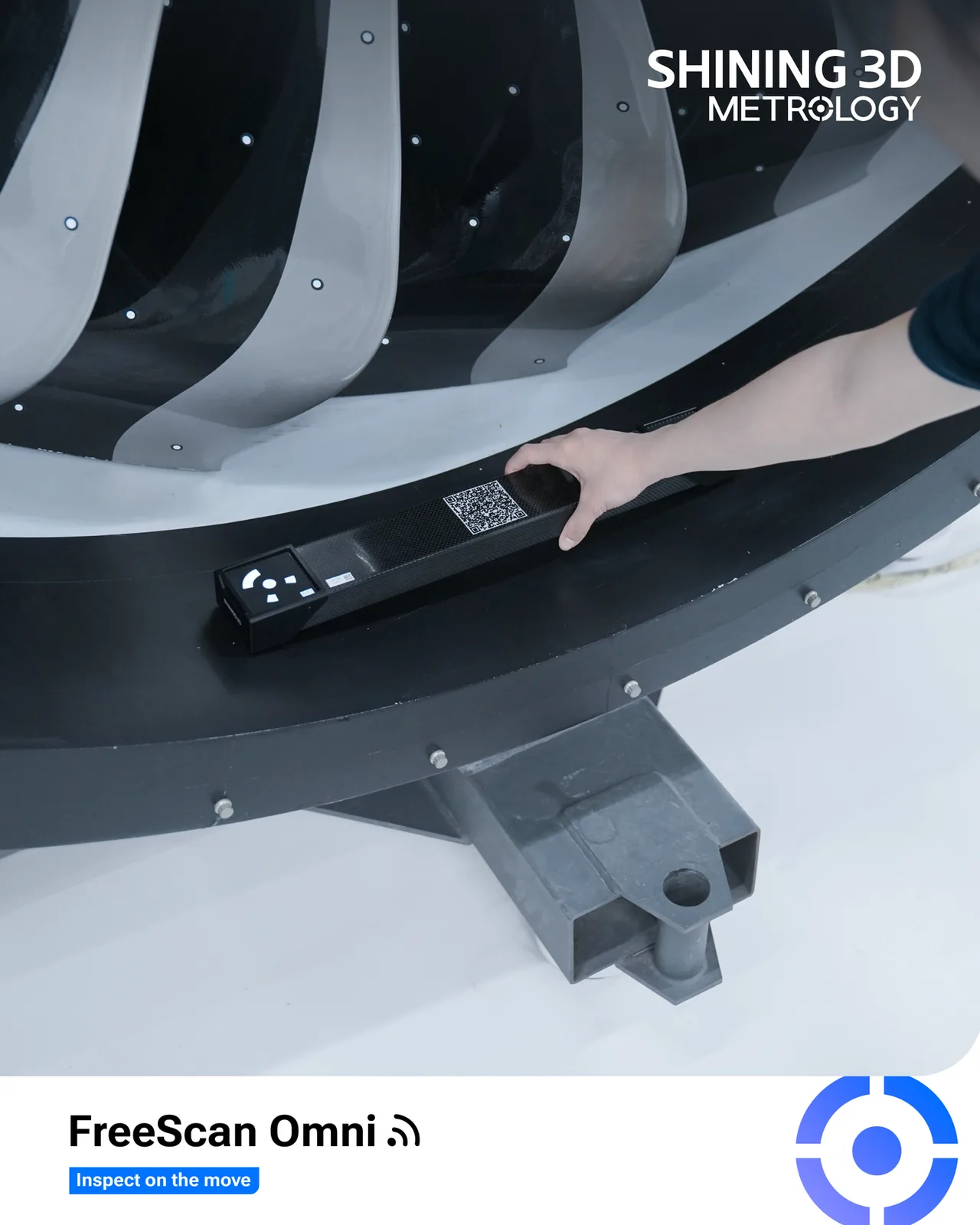
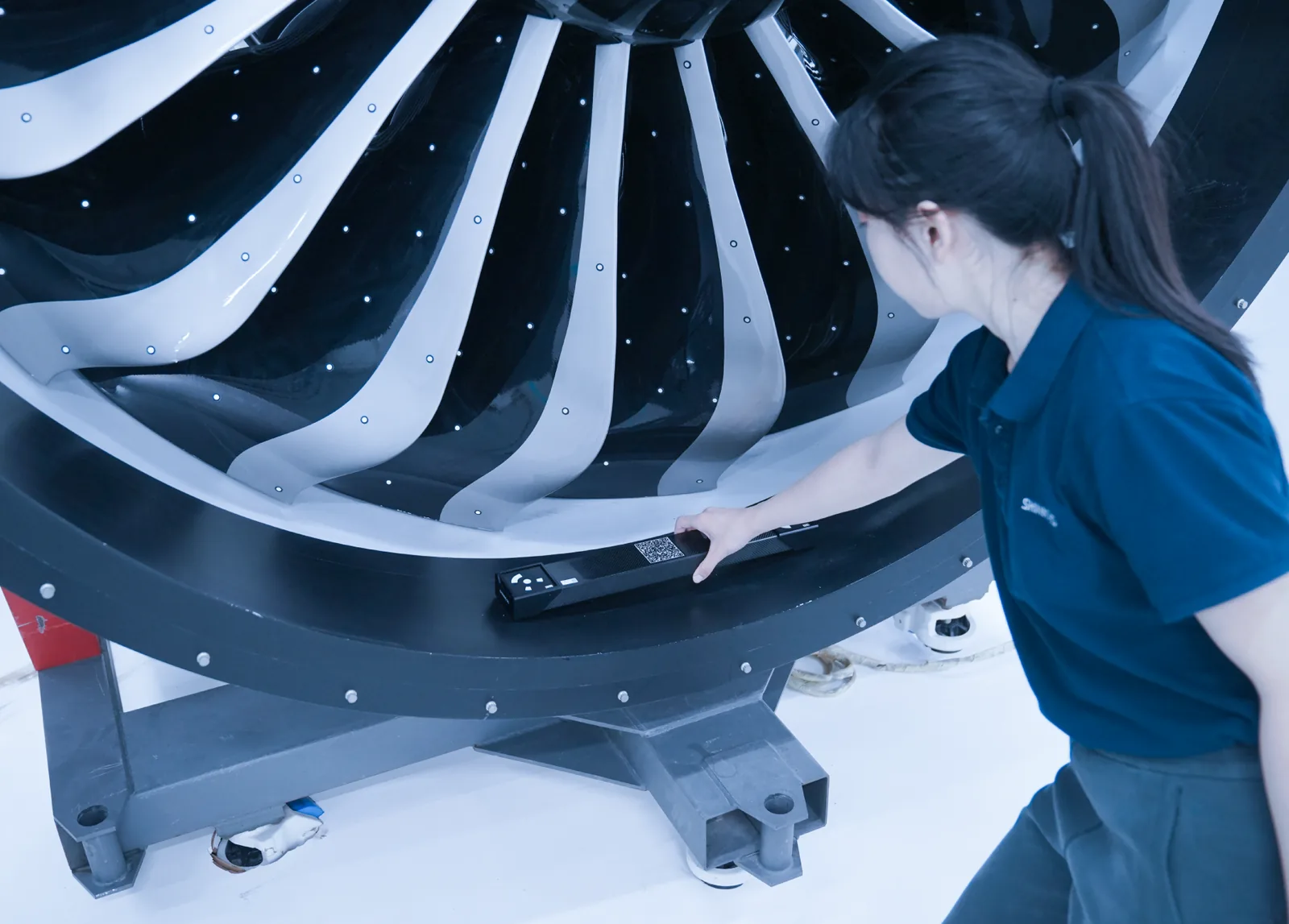
The FreeScan Omni’s standalone wireless architecture is purpose-built for aircraft maintenance, repair, and overhaul (MRO) workflows where a PC tether is impractical on the hangar floor. Scan turbine blades, fuselage panels, and structural components. VPG handles larger structures markerlessly. On-device GD&T inspection generates the certified report at the part — no laptop, no data cables, no separate inspection station required. PTB-certified traceability satisfies aerospace inspection documentation requirements.

Wireless
No PC Tether on Hangar Floor
PTB
Certified Inspection Report
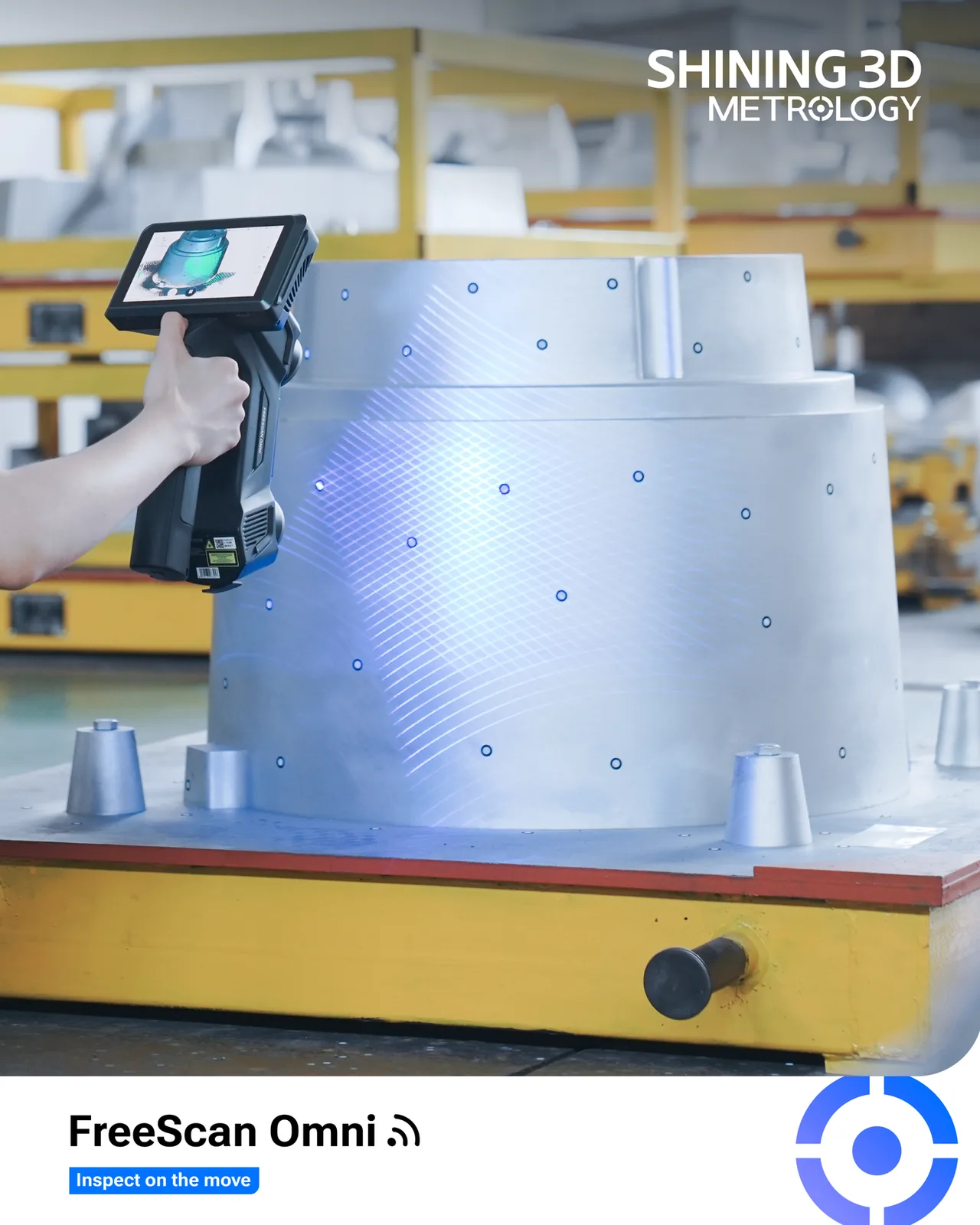
KE-TEC technician scanning heavy truck undercarriage with FreeScan Omni — standalone wireless scan-to-inspect on shop floor
Machine Shop & Industrial Tooling Inspection

On complex stamping dies, press tools, and machined components, the FreeScan Omni’s dual light-source engine (blue laser + infrared VCSEL) gives inspectors the ability to switch modes at the part — not at the desk. The standalone architecture means the scanner goes into enclosed fixtures, deep bores, and under-vehicle positions that a tethered system cannot reach. Scan, inspect on-device, and generate the report before moving to the next workpiece.

Dual Source
Blue Laser + IR VCSEL
Standalone
No PC, No Tether
KE-TEC team using FreeScan Omni on industrial component — diverse international operators scanning together
📐
Shop-Floor QC & FAI
Aircraft MRO
🛠
Body-in-White Inspection
Turbine Blade QC
🏭
Mold & Tooling Inspection
🔧
Reverse Engineering
07
FreeScan Omni in Action

Scan, inspect, report — entirely on the device. See it work.

08
Smart Dock

Power and Wi-Fi data backup in one dock. No cable management. No separate transfer step.

The Smart Dock is a fundamental departure from how handheld 3D scanners have always worked. Previously, transferring scan data from a scanner to a PC required a USB cable, a manual transfer step, and waiting. The FreeScan Omni’s Smart Dock eliminates all of that: dock the scanner when you’re done and it charges the battery while simultaneously uploading all scan data over Wi-Fi to the connected workstation. The operator never touches a cable between scans. The data is already on the PC when the next inspection session starts.

Smart Dock hardware — engineered for production workflows

The Smart Dock is not a simple charger. It houses the wireless data gateway, manages the battery charge cycle, and handles the Wi-Fi handshake to the connected workstation automatically. Dock recognition is instant. The user interface on the scanner confirms dock connection, battery charge status, and data transfer progress on the 5.5″ touchscreen. No driver installation, no pairing code, no manual sync required — dock the scanner and it handles the rest.

Instant
Dock Recognition
Automatic
Charge + Data Sync
Shining 3D FreeScan Omni Smart Dock — power and Wi-Fi data backup set in one dock station
Battery Charge
Smart Dock manages the complete battery charge cycle. The scanner is always fully charged when it comes off the dock — no monitoring required.
Wi-Fi Data Backup
All scan data and inspection reports are uploaded to the connected workstation over Wi-Fi while the battery charges. No USB cable, no manual transfer step.
Automatic Sync
Dock recognition and sync initiation are automatic. The scanner touchscreen shows transfer progress. No driver or pairing required after initial setup.
Cable-Free Capture
The scanner operates completely cable-free during measurement. The dock-based architecture means no tether to the PC during scanning, inspection, or report generation.
09
Software

SHINING 3D Inspect onboard. EXModel Pro for reverse engineering. Full inspection-CAD ecosystem integration.

The FreeScan Omni ships with PTB-certified SHINING 3D Inspect running onboard for GD&T inspection and report generation without a laptop. When connected to a workstation, it integrates with EXModel Pro for scan-to-CAD reverse engineering, and exports to the full industry inspection and CAD ecosystem. Rev1 confirms software fit and seat licensing during application review before purchase.

SHINING 3D Inspect (PTB-Certified — Onboard) EXModel Pro FreeScan Geomagic Control X Geomagic Design X PolyWorks Inspector SolidWorks (via STL/OBJ) Fusion 360 (via STL/OBJ) Inventor (via STL/OBJ) Rhino (via OBJ) MeshLab (via PLY) CloudCompare (via PLY)
10
Technical Specifications

Shining 3D FreeScan Omni — full specifications.

System Overview
System Type
Standalone wireless handheld metrology 3D scanner with on-device inspection
On-Device Inspection
PTB-certified SHINING 3D Inspect — GD&T + report on 5.5″ touchscreen, no PC required
Smart Dock
Simultaneous battery charge + Wi-Fi data backup
AI Feature Recognition
Auto-identifies holes, slots, edges; pre-loads GD&T templates
Optical Engine
Light Source
Blue laser (fine detail + shiny surfaces) + IR VCSEL (speed on diffuse surfaces)
Scan Modes
4 modes: Fine, Rapid, HD, AI-Enhanced
VPG Working Volume
Up to 10 m (markerless via Video Photogrammetry)
Accuracy & Certification
Inspection Certification
PTB-certified SHINING 3D Inspect
Scanner Certification
ISO 10360 · VDI/VDE 2634 Part 3
Traceability
PTB (Physikalisch-Technische Bundesanstalt, Germany) — equivalent to NIST (USA)
Applications
Primary Applications
Shop-floor QC · First article inspection · Aircraft MRO · Body-in-white · Turbine blades · Mold inspection · Reverse engineering
On-Device Features
Display
5.5-inch touchscreen
On-Device Software
PTB-certified SHINING 3D Inspect
Inspection Output
GD&T dimensional inspection report — generated on-device without PC
AI Feature Recognition
Holes, slots, edges — auto GD&T template pre-load
Connectivity & Power
Wireless Operation
Fully wireless during scanning, inspection, and report generation
Smart Dock
Charge + Wi-Fi data backup simultaneously
Data Transfer
Wi-Fi via Smart Dock (no USB cable required)
Software & Output
Native Software
SHINING 3D Inspect (onboard) · FreeScan
Reverse Engineering
EXModel Pro · Geomagic Design X
Inspection Software
Geomagic Control X · PolyWorks Inspector
Output Formats
STL · OBJ · PLY · ASC · P3
OS (PC Mode)
Windows 10/11
Pricing
List Price
$38,999 — quote-driven, no self-serve checkout
What’s Included
FreeScan Omni scanner + Smart Dock + SHINING 3D Inspect license
Financing Estimate
$683/mo est. · 72 mo · 8% APR · OAC
11
Competitive Comparison

FreeScan Omni vs. Creaform HandySCAN BLACK, FreeScan UE Pro2, and Hexagon Absolute Scanner.

We benchmark the FreeScan Omni against the industry-standard Creaform HandySCAN BLACK, the natural intra-brand peer FreeScan UE Pro2, and the recognized metrology alternative Hexagon Absolute Scanner. The goal is buyer clarity: where the FreeScan Omni leads on standalone inspection, wireless architecture, AI features, and price — and where a different scanner genuinely fits better.

Scanner
Inspection
Wireless / Connectivity
AI Features
Where It Fits
Creaform HandySCAN BLACK | Eliteindustry-standard metrology handheld · higher price
PC-required inspection via VXelements / Geomagic Control X. No on-device inspection capability.
USB-C tethered to PC during scanning. No wireless capture mode. No dock-based data architecture.
No AI feature recognition. Manual GD&T template setup required in post-processing software.
Creaform HandySCAN BLACK | Elite is the industry-standard for metrology handheld scanning, with a deep Creaform / VXelements / PolyWorks ecosystem and strong QA documentation track record. The Omni adds standalone on-device inspection, wireless Smart Dock, and AI Feature Recognition at a materially lower price. Choose Creaform when the QA workflow is already Creaform/VXelements-locked; choose FreeScan Omni for standalone inspection, wireless architecture, and price.
Shining 3D FreeScan UE Pro2intra-brand peer · wireless handheld · $24,999
PC-required inspection via SHINING 3D Inspect on workstation. No on-device inspection without the Omni’s onboard platform.
Wireless capture. No Smart Dock architecture. Data transfer via manual connection to workstation.
No AI Feature Recognition. Standard inspection workflow on PC after scan transfer.
FreeScan UE Pro2 at $24,999 is the right scanner when on-device standalone inspection is not required. Same VPG markerless workflow and lab-cert accuracy class. The FreeScan Omni adds standalone PTB-certified inspection, Smart Dock, and AI features for $14,000 more. Buy UE Pro2 when PC-based inspection is acceptable; buy Omni when standalone is the requirement.
Hexagon Absolute Scanner AS1 + Absolute Armrecognized metrology peer · arm-mounted
Arm-based inspection workflow requiring Hexagon Absolute Arm + PC running PC-DMIS or similar. No standalone inspection.
Arm-mounted (not freehand wireless). Requires Hexagon Absolute Arm as the articulated reference.
No AI feature recognition. Standard metrology arm workflow.
Hexagon AS1 is the right answer when the QA shop already runs a Hexagon Absolute Arm and the operator wants the scanner mounted on that articulated reference. The FreeScan Omni is the no-arm alternative: freehand wireless, standalone on-device inspection, AI Feature Recognition, and no arm dependency. Choose AS1 when the workflow is already Hexagon-armed; choose Omni for freehand standalone metrology inspection without arm infrastructure.
Rev1 takeaway: FreeScan Omni is the right system when standalone on-device inspection, a wireless Smart Dock architecture, and AI Feature Recognition matter to the workflow. At $38,999, it delivers PTB-certified GD&T inspection on a 5.5″ touchscreen without a PC — significantly below the Creaform HandySCAN BLACK | Elite price point, with more advanced wireless and AI capabilities. Punch up to UE Pro2 at $24,999 when PC-based inspection is acceptable and standalone operation is not required. Stay with Creaform when the QA workflow is Creaform/VXelements-locked. Application review with Rev1 is the fastest way to confirm fit before quote.
Application Review
Comparing the FreeScan Omni to a Creaform, Hexagon, or another Shining 3D scanner?

Send Rev1 your inspection workflow requirements, part geometry, and whether standalone on-device inspection is a hard requirement — we’ll tell you which scanner fits.

12
Key Numbers

FreeScan Omni — performance at a glance.

Relative Performance Scale (9-bar)
Inspection Grade
PTB Cert
Accuracy (ISO 10360)
Metrology
VPG Working Volume
10 m
Scan Modes
4 Modes
AI Capability
Full AI
Standalone Operation
PC-Free
Wireless Architecture
Smart Dock
Optical Engines
Dual
Price (vs. Class)
$38,999
14
Authorized Partner

Shining 3D hardware with Rev1 application support.

Sold & Supported By
Rev1 Technologies logo
Manufacturer
Shining 3D logo
SHINING3D

A PTB-certified standalone inspection scanner is an application decision, not just a hardware purchase. Rev1 helps validate whether on-device standalone inspection fits the actual workflow, software stack, operator training path, and quote configuration before the FreeScan Omni is deployed.

01
Application Review

Confirm whether the FreeScan Omni’s standalone inspection workflow fits the specific part geometry, GD&T requirements, accuracy budget, and throughput expectations — or whether a different Shining 3D model is the better fit for the application.

02
Software Stack & Workflow

Plan the software stack (on-device SHINING 3D Inspect, EXModel Pro, Geomagic Control X), seat licensing, operator training path, Smart Dock network configuration, and integration with existing CAD / PLM / QA infrastructure before purchase.

03
US-Based Support

Work with Rev1 for quoting, freight planning, install support, calibration verification, accessory selection, and practical troubleshooting from Auburn Hills, Michigan — an authorized Shining 3D reseller and factory-trained FreeScan support partner.

Why it matters: Buying through Rev1 means the scanner is paired with application fit review, software-stack guidance, Smart Dock network planning, and local support — not treated like a direct-import crate with no workflow ownership.
15
Buyer FAQ

Shining 3D FreeScan Omni questions buyers ask before quoting.

What does “standalone scan-to-inspect” mean for the FreeScan Omni?
It means the entire inspection workflow — scan, GD&T dimensional inspection, and report generation — runs entirely on the FreeScan Omni itself, on the built-in 5.5-inch touchscreen, without a laptop or PC connected at any step. PTB-certified SHINING 3D Inspect runs onboard. You scan the part, switch to Inspect mode, set tolerances, run the inspection against CAD nominal, and generate the report — all on the device. The Smart Dock then backs up the report over Wi-Fi when you dock the scanner. For workflows where carrying a laptop to the part or the aircraft hangar is impractical, this is the key differentiator.
What is PTB certification, and why does it matter for inspection?
PTB is the Physikalisch-Technische Bundesanstalt — Germany’s national metrology institute, equivalent to NIST in the United States. PTB certification of the SHINING 3D Inspect module means the GD&T inspection results and reports generated on the FreeScan Omni carry the same traceability class as a CMM inspection report certified by a recognized national metrology authority. For QA workflows in automotive, aerospace, and defense that require inspection documentation traceable to a recognized standard — not just a vendor’s marketing datasheet — PTB certification is the key credential.
How does the Smart Dock work, and why is it different from a typical scanner charger?
A typical handheld 3D scanner charger charges the battery and nothing else. The FreeScan Omni’s Smart Dock does two things simultaneously: charges the battery AND backs up all scan data and inspection reports over Wi-Fi to the connected workstation. The moment you dock the scanner, data transfer begins automatically — no USB cable, no manual transfer step, no driver required. When the next inspection session starts, the battery is fully charged and the data is already on the PC. The Smart Dock is the infrastructure that makes the fully wireless, cable-free scan-to-inspect-to-backup workflow possible.
What does AI Feature Recognition do on the FreeScan Omni?
AI Feature Recognition is an on-device intelligence layer that analyzes the scan data in real time (or immediately after scan completion) and automatically identifies geometric features — specifically holes, slots, and edges. When those features are identified, the system pre-loads GD&T inspection templates for them automatically. In a traditional inspection workflow, an operator would manually identify each feature in the inspection software and assign a GD&T template before running the check. AI Feature Recognition eliminates that manual setup step — significantly reducing the time from completed scan to completed inspection on parts with many hole patterns, slot arrays, or defined edge profiles.
What are the four scan modes on the FreeScan Omni, and when do I use each?
The FreeScan Omni has four scan modes: Fine (blue laser, full resolution — tight-tolerance detail and shiny/reflective surfaces), Rapid (IR VCSEL, maximum throughput — large matte or diffuse surfaces where speed is the priority), HD (both engines simultaneously, maximum resolution on complex geometry with mixed surface finishes), and AI-Enhanced (both engines with AI Feature Recognition active — for inspection-first workflows where auto GD&T template pre-loading saves significant setup time). Switch modes on the 5.5″ touchscreen — no accessory swap, no software restart.
How does the FreeScan Omni compare to the Creaform HandySCAN BLACK?
The Creaform HandySCAN BLACK is the industry-standard metrology handheld, with strong VXelements / PolyWorks integration and a well-established QA documentation track record. It requires a PC connection for all inspection work — no on-device inspection capability. The FreeScan Omni adds standalone PTB-certified on-device inspection via the 5.5″ touchscreen, a Smart Dock for wireless charge-and-backup, AI Feature Recognition with auto GD&T template pre-loading, and integrated VPG markerless to 10 m — at a materially lower price point. Choose Creaform HandySCAN BLACK when the QA workflow is already Creaform/VXelements-locked and PC-based inspection is preferred; choose FreeScan Omni when standalone operation, wireless architecture, and AI features are requirements.
How does the FreeScan Omni compare to the FreeScan UE Pro2?
FreeScan UE Pro2 at $24,999 is the wireless handheld peer within the Shining 3D family. It shares the VPG markerless workflow and lab-cert accuracy class with the Omni, but does not have on-device standalone inspection, the Smart Dock architecture, or AI Feature Recognition. The UE Pro2 transfers data via a manual connection to a workstation and runs inspection in SHINING 3D Inspect on the PC. The FreeScan Omni costs $14,000 more and adds standalone PTB-certified inspection, Smart Dock, and AI features. Buy UE Pro2 when PC-based inspection is acceptable; buy FreeScan Omni when standalone is a hard requirement.
What software does the FreeScan Omni include, and what does it integrate with?
The FreeScan Omni ships with PTB-certified SHINING 3D Inspect running onboard for standalone GD&T inspection and EXModel Pro for scan-to-CAD reverse engineering. When connected to a workstation, it also integrates with Geomagic Control X, Geomagic Design X, PolyWorks Inspector, and the broader inspection and CAD ecosystem. Output formats include STL, OBJ, PLY, ASC, and P3. Rev1 confirms software fit and seat licensing during application review before purchase — the software stack on the PC side is just as important as the onboard inspection capability.
Is Rev1 Technologies an authorized Shining 3D dealer, and what support do they provide?
Yes. Rev1 Technologies is an Authorized Shining 3D Reseller and factory-trained FreeScan support partner based in Auburn Hills, Michigan. Rev1 supports FreeScan Omni buyers from quote through production: pre-sale application review (part geometry, GD&T requirements, accuracy class, standalone workflow validation), Smart Dock network setup guidance, software-stack planning, operator training, calibration verification at install, and post-sale phone/video support. Warranty service routes through authorized channels, not grey-market importers.
Ready for answers?
Talk through the application before the quote.

Use the FAQ as the starting point. Rev1 can confirm standalone inspection fit, Smart Dock network requirements, software stack, and delivery considerations before the FreeScan Omni is ordered.